
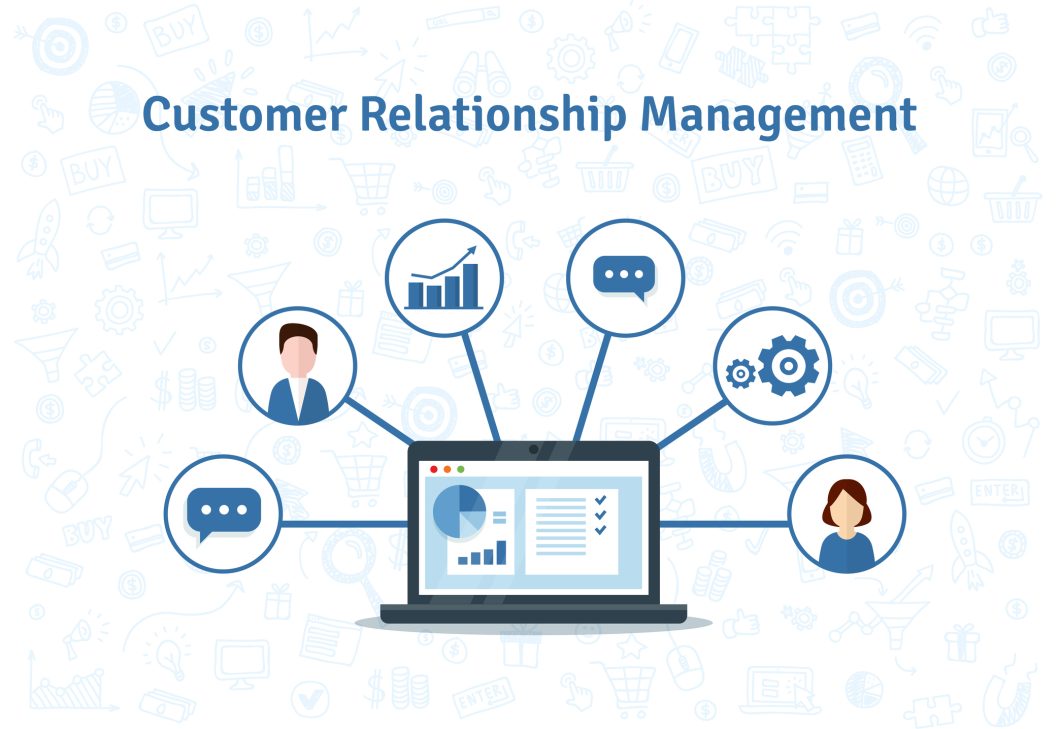
In the ever-evolving world of business, maintaining strong customer relationships has never been more important. Whether you’re a small business owner, a sales professional, or a nonprofit leader, understanding your customers’ needs is at the heart of achieving success. This is where Customer Relationship Management (CRM) software steps in as an indispensable tool.
A CRM helps businesses of all sizes manage customer interactions, streamline operations, and improve efficiency. But is it the right tool for your business? This article will delve deep into the history, features, applications, and benefits of CRMs, while also comparing popular platforms and discussing custom CRM solutions. By the end, you’ll have a clear understanding of whether investing in a CRM is the right move for your organization.
The history and evolution of CRMs
Before the advent of CRM software, businesses relied on basic tools like spreadsheets, handwritten ledgers, and Rolodexes to manage customer information. These manual methods were cumbersome and error-prone, making it difficult to scale operations.
The birth of CRM software
The 1990s marked the emergence of CRM software as a solution to these challenges. Early platforms like ACT! and Siebel Systems introduced digital ways to track customer interactions and manage sales pipelines. While groundbreaking at the time, these tools were limited by their on-premise nature and lack of flexibility.
The early 2000s saw a significant shift with the introduction of cloud-based CRMs, spearheaded by Salesforce. Businesses could now access their data from anywhere with an internet connection, enabling greater flexibility and collaboration.
Modern CRMs and beyond
Today, CRMs have evolved into comprehensive platforms that integrate artificial intelligence (AI), mobile accessibility, and omnichannel communication. These tools are no longer just for tracking sales—they now provide insights, automate workflows, and help businesses build stronger customer relationships.
Statistic: The global CRM market size is expected to grow from $58 billion in 2022 to $145 billion by 2028, reflecting the increasing demand for these tools (source).
What does a CRM do?
At its core, a CRM centralizes customer information and helps businesses manage relationships effectively. But modern CRMs go far beyond simple data storage.
Core features of a CRM
- Contact management: Store detailed customer profiles, including names, contact details, and interaction history.
- Sales tracking: Monitor deals, sales pipelines, and revenue forecasts.
- Automation: Eliminate repetitive tasks such as sending follow-up emails or logging interactions.
- Analytics and reporting: Gain insights into sales performance and customer behavior with real-time dashboards.
- Integration: Seamlessly connect with tools like email marketing platforms, e-commerce stores, and accounting software.
Advanced capabilities
- AI-powered insights: Predictive analytics, lead scoring, and customer sentiment analysis.
- Mobile accessibility: Access CRM tools on the go through dedicated mobile apps.
- Omnichannel communication: Consolidate emails, phone calls, chatbots, and social media messages into a single platform.
Example: A real estate agent uses a CRM to track leads, manage property showings, and automate follow-up emails, resulting in a 20% increase in closed deals.
Why businesses need CRMs
CRMs are invaluable for businesses seeking to build better relationships, streamline operations, and drive growth.
Key benefits of CRMs
- Improved customer relationships: Personalize interactions and respond to customer needs more effectively.
- Enhanced productivity: Automate time-consuming tasks to focus on higher-value activities.
- Data centralization: Keep all customer information in one place, accessible to your entire team.
- Scalability: Scale your CRM alongside your business as your needs grow.
Statistic: Businesses that adopt a CRM experience a 29% increase in sales, a 34% improvement in productivity, and a 42% boost in sales forecast accuracy (source).
Use cases by industry
- Small businesses: Track interactions with clients and prospects in a cost-effective way.
- E-commerce: Automate abandoned cart recovery emails and monitor purchasing patterns.
- Nonprofits: Manage donor databases, track volunteer hours, and organize fundraising campaigns.
- Service providers: Schedule appointments, track invoices, and manage client communication.
Comparing popular CRM platforms
Choosing the right CRM depends on your business size, industry, and specific needs. Below is a comparison of the most popular CRM platforms:
| Platform | Best For | Pricing | Key Features |
|---|---|---|---|
| Salesforce | Enterprises and scalability | Starts at $25/user/month | Highly customizable, AI tools, robust integrations. |
| HubSpot CRM | Small to medium-sized businesses | Free (basic); Paid starts at $50/month | User-friendly, free version available, marketing features. |
| Zoho CRM | Budget-conscious businesses | Starts at $14/user/month | Affordable, customizable, integration-friendly. |
| Microsoft Dynamics 365 | Enterprises needing ERP/CRM integration | Starts at $65/user/month | Seamless with Microsoft tools, analytics-driven. |
| Pipedrive | Sales-focused small businesses | Starts at $12.50/user/month | Sales pipelines, visual dashboards, easy setup. |
Pro Tip: Most platforms offer free trials, so take advantage of these to test features before committing.
Custom-built CRMs: When does it make sense?
For businesses with unique workflows or niche requirements, off-the-shelf CRMs may not suffice. In such cases, custom-built CRMs offer tailored solutions.
Advantages of custom CRMs
- Fully aligned with your business processes.
- No unnecessary features or “bloatware.”
- Seamless integration with proprietary tools or systems.
Challenges of custom CRMs
- High upfront development costs (ranging from $10,000 to $50,000).
- Time-intensive design and implementation.
- Ongoing maintenance and updates are required.
Example: A healthcare provider developed a custom CRM to manage patient records, ensuring compliance with HIPAA regulations while offering tailored scheduling features.
Pros and cons of CRMs
Pros
- Centralizes customer data for better organization.
- Improves customer satisfaction through personalized service.
- Boosts team collaboration with shared access to information.
Cons
- Initial setup and training can be time-consuming.
- Costs can be prohibitive for very small businesses.
- Over-reliance on automation may diminish the personal touch.
How to choose the right CRM for your business
To select the best CRM, consider the following:
- Define your needs: What problems are you trying to solve?
- Evaluate features: Look for tools that address your specific pain points.
- Consider user-friendliness: Ensure the CRM is easy for your team to adopt.
- Plan for scalability: Choose a platform that grows with your business.
Pro Tip: Platforms like HubSpot CRM and Zoho CRM offer free versions, making them a great starting point for small businesses.
Building better customer relationships with CRMs
CRMs are no longer a luxury—they’re a necessity for businesses looking to improve customer relationships, boost efficiency, and scale effectively. Whether you’re a solopreneur or part of a large enterprise, the right CRM can transform how you interact with customers and manage operations.
Take the time to assess your business needs and explore the options available. With the right CRM, you’ll be well-equipped to build stronger relationships and achieve long-term success.